 Chargeback Reply
How to Respond to a Shopify Chargeback (Step-by-Step Guide)
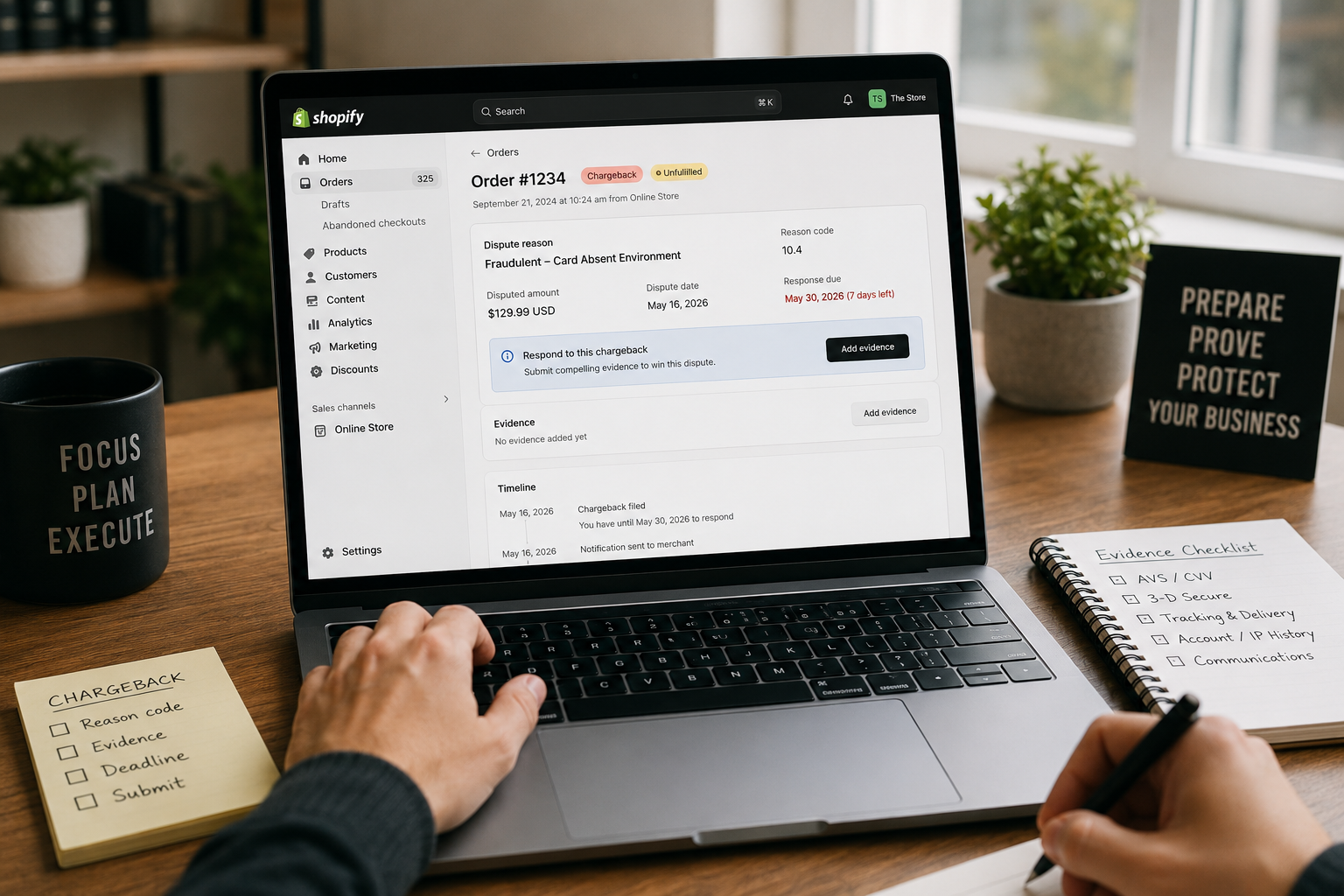
To respond to a Shopify chargeback, open the disputed order in your Shopify admin, read the reason code the issuing bank assigned, gather the specific evidence that wins that code, and submit your response before the deadline shown on the order. Miss that deadline and you lose automatically, even with strong proof. This guide walks through the exact process, the timeline, and the evidence that actually wins each type of dispute.
Most merchants don't lose because they lack evidence. They lose because they send the wrong evidence, present it as an unstructured paragraph, or run out of time. Below is how to avoid all three.
What happens when you get a Shopify chargeback
A chargeback is a forced reversal of a payment, initiated by the cardholder through their bank (the "issuing bank"), not by you. When one is filed on a Shopify Payments order, Shopify notifies you, the disputed amount plus a chargeback fee is withdrawn from your next payout, and a response deadline is set.
Chargeback vs. inquiry
You may also receive an inquiry (sometimes called a "retrieval request" or "notification of dispute"). It works almost the same way, but your funds are not withdrawn while the issuer investigates. You still collect and submit evidence the same way. Handling an inquiry well can stop it from ever becoming a full chargeback, so treat it with the same urgency.
The clock starts immediately
The moment the dispute appears in your admin, a countdown begins. According to Shopify's documentation, the response window is typically 7 to 21 days from when the chargeback or inquiry is filed, and the exact due date is displayed on the order. Shopify submits your evidence to the card network on that due date, so everything must be in the order before then.
How to respond to a Shopify chargeback, step by step
Here is the exact process, from notification to submission.
Step 1: Find the disputed order in your Shopify admin
Go to Orders, open the order flagged with a chargeback or inquiry, and scroll to the dispute section. Shopify shows the reason category, the amount, and the response deadline there. If you use Shopify Payments, you respond directly in the admin; if you use a third-party gateway, you respond in that processor's dashboard instead.
Step 2: Identify the reason code
Every dispute carries a reason code assigned by the card network. This is the single most important detail, because it dictates which evidence wins. Visa groups disputes into four categories, Fraud (10), Authorization (11), Processing Errors (12), and Consumer Disputes (13), and Mastercard uses its own equivalent codes. For a full breakdown, see our chargeback reason codes guide.
Step 3: Match the evidence to that reason code
Answering a fraud dispute with shipping proof is an automatic loss. Each code has a specific evidence set that the network expects (detailed in the next section). Pull exactly those items, and label them clearly, so a bank reviewer who spends only a few minutes on your case can find them.
Step 4: Submit your response before the deadline
In the Shopify admin, add your evidence and any written explanation, then submit. You can keep adding evidence up until the due date, after which nothing can be changed. Submit early rather than at 11:59 PM on the final day.
Build your response in 60 seconds →
Step 5: Wait for the issuing bank's decision
Once submitted, the issuer reviews your evidence. This can take a while, up to roughly 75 days in some cases, with the full cycle often running 30 to 90 days. If you win, the disputed amount is returned. If you lose, the funds and the chargeback fee stay gone. You can read more about those costs in our Shopify chargeback fees guide.
The Shopify chargeback deadline
The deadline is the hardest rule in this entire process, so it gets its own section.
- How long you have: usually 7 to 21 days from when the dispute is filed. The precise date is on the order in your admin.
- What happens if you miss it: Shopify submits whatever minimal data it has, and you almost always lose. Per Shopify, there are no exceptions and no extensions once the window closes.
- Why it's the top cause of avoidable losses: merchants spend five of their seven days deciding what to write, then submit a rushed, weak package, or nothing at all.
The takeaway: start the moment you see the notice, not the day before it expires.
What evidence to submit for each reason code
Below are the evidence sets that win the most common dispute types on Shopify. When you submit evidence in Shopify, present each item as a clearly labeled exhibit rather than a wall of text.
Fraud / unauthorized (Visa 10.4)
The cardholder claims they never made the purchase, the classic "friendly fraud" scenario. Win it with proof the cardholder authorized and received the order:
- AVS (address) and CVV match results
- 3-D Secure / SCA authentication, if applicable
- Carrier tracking with delivery confirmation to the cardholder's address
- Account, login, and IP history tying the order to the customer
Visa's reason code 10.4 is also eligible for Compelling Evidence 3.0 (CE 3.0), which lets you win by showing two prior undisputed transactions from the same cardholder that share data points (device, IP, shipping address, or account) with the disputed one. Our friendly fraud guide covers this in depth.
Product not received (Visa 13.1)
The customer says the order never arrived. Win it with:
- Carrier tracking number and proof of delivery (signature or delivery confirmation)
- The shipping notification sent to the customer
- Confirmation the delivery address matches the order
Not as described or defective (Visa 13.3)
The customer disputes the item's condition or description. Win it with:
- The product page as it appeared at the time of purchase
- Your return and refund policy shown at checkout
- Customer communications showing the issue was addressed (or never raised)
Subscription, duplicate, and credit-not-processed
- Subscription cancelled (13.2): signed opt-in to recurring billing, cancellation policy, and usage logs after the disputed charge.
- Duplicate processing (12.6): records of both transactions proving they are distinct.
- Credit not processed (13.6): the refund transaction record (ARN) or the applicable refund policy.
For a deeper library of what to attach, see our chargeback evidence guide.
Mistakes that make merchants lose the dispute
Even with a winnable case, these errors sink responses:
- Wrong evidence for the reason code. Shipping proof on a fraud claim, or payment data on a "not received" claim, gets dismissed.
- An unstructured, one-paragraph letter. Reviewers skim. No labeled exhibits, no clear structure, no win.
- Missing the deadline. The single most common and most avoidable loss.
- No customer communication on record. Showing you tried to resolve it directly strengthens almost every case.
- Reusing a generic template. A response that isn't matched to your exact reason code reads as boilerplate.
If you want a proven starting structure, our chargeback response letter template shows the format banks accept.
Should you respond yourself or use a tool?
You can absolutely respond yourself, and for a simple, well-documented case you may not need anything else. The catch is that doing it well means knowing the reason code's exact evidence set, formatting a structured letter with numbered exhibits, and finishing inside a tight deadline.
That's exactly what Chargeback Reply automates: you answer a short guided form, it matches your reason code to the winning evidence, scores your case, and generates a bank-ready response letter with organized exhibits, formatted to Shopify's submission rules.
Frequently asked questions
How do I respond to a chargeback on Shopify?
Open the disputed order in your Shopify admin, review the reason code the issuing bank assigned, add the evidence that wins that specific code (organized into labeled exhibits), and submit before the deadline shown on the order.
How long do I have to respond to a Shopify chargeback?
Shopify typically gives you 7 to 21 days from when the dispute is filed, and the exact due date is displayed on the order. Once the deadline passes there are no exceptions and no extensions.
What happens if I lose the dispute?
If the issuing bank rules against you, the disputed amount and the chargeback fee remain withdrawn. The bank's decision is final; you cannot appeal it directly, though some networks allow further arbitration in limited cases.
Can I respond to a Shopify chargeback myself?
Yes. You can submit your response directly in the Shopify admin. Winning depends on matching the right evidence to your reason code, presenting it clearly, and submitting before the deadline, which is where a guided tool can help.
Sources
This article is general information, not legal advice. The final decision on any dispute rests with the issuing bank.